
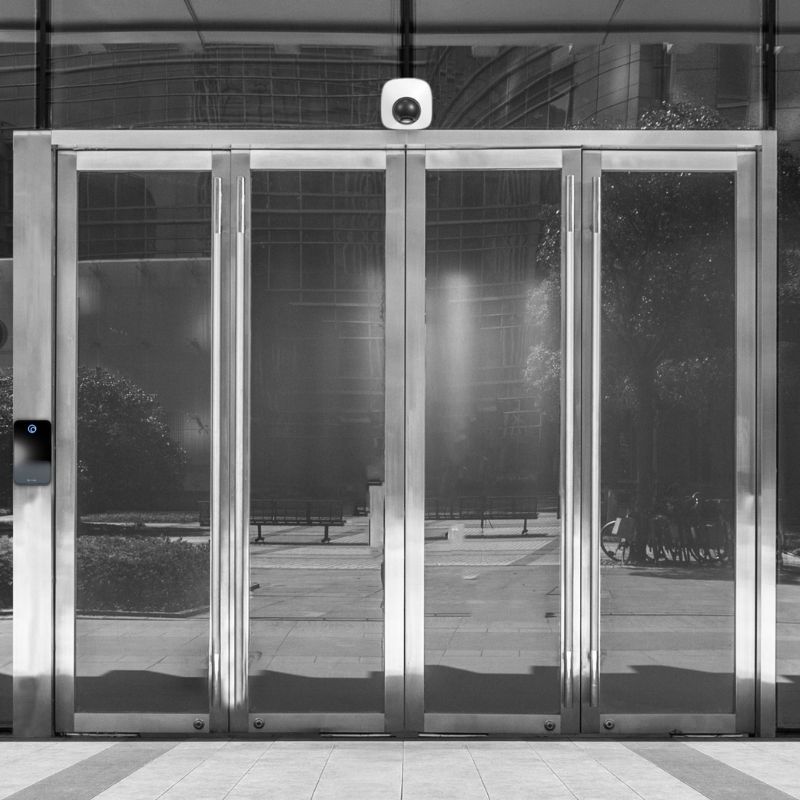
Access Control Installation
UK businesses lose thousands of pounds replacing lost keys, face massive GDPR fines for poor data protection, and struggle to plug security gaps caused by departing employees.
The European Data Protection Board’s 2024 Annual Report shows that authorities across the EU imposed a total of €1.2 billion in GDPR fines during the year. The UK’s Information Commissioner’s Office (ICO) has issued multiple six-figure penalties specifically for inadequate access controls and data security measures.
Professional access control installation eliminates these costly problems through keycard systems, biometric scanners, mobile credentials, and multi-factor authentication.
Our systems guarantee GDPR compliance, provide detailed audit trails, reduce insurance premiums, and deliver secure access control.
With over 30 years of experience installing UK access control systems, we will help select the right solution for your security and compliance requirements.
- Design
- Installation
- Maintenance
- Consultancy
What Is Access Control?
Access control is a security system that manages who can enter your property and when they can access specific areas.
This technology replaces traditional lock-and-key methods with electronic credentials that control access to entry points with precision.
Understanding why your business needs access control will help uncover exactly how it can improve your security and boost efficiency.

Why Does Your Business Need Access Control?
A professional access control installation will protect your assets and sensitive information. It will also help your business comply with regulations, reduce costs and increase efficiency.
Protect Assets and Sensitive Information
An access control system installation protects your most valuable business assets, including IT infrastructure, confidential data, and expensive equipment. The system also improves employee safety through accurate occupancy tracking and emergency response capabilities.
Access control prevents unauthorised access to certain areas within your premises. You can restrict access to server rooms to IT personnel, limit executive office access to senior staff, and secure research areas from potential industrial espionage.
You can protect valuable equipment and confidential data by giving different employees access to different areas based on their job role.
Employee safety improves when you know precisely who is occupying your building at any given time. During emergencies, accurate occupancy data helps first responders locate personnel quickly and get everyone to safety.
Meet Regulatory Requirements
Access control systems help your business meet key UK regulatory requirements. These include UK General Data Protection Regulation (UK GDPR), National Security Inspectorate (NSI) Code of Practice NCP 109, BS EN 60839-11 Series standards, Equality Act 2010, Regulatory Reform (Fire Safety) Order 2005, and International Organization for Standardization (ISO) 27001 certification requirements.
UK GDPR requires strong protection of personal data, including physical access controls for areas where personal information is handled or kept.
NSI Code of Practice NCP 109 sets specific standards for how electronic access control systems should be designed, installed, and maintained. Systems must meet these technical requirements to receive NSI approval.
BS EN 60839-11 Series standards set European requirements for access control system performance, installation methods, and how they should work. Following these British Standards ensures your system meets recognised technical and safety requirements.
The Equality Act 2010 requires access control systems to be accessible to people with disabilities without creating unfair barriers. Systems must provide alternative ways to enter and ensure disabled employees and visitors can access premises safely and independently.
Regulatory Reform (Fire Safety) Order 2005 states that access control systems must not block emergency evacuation. Doors must unlock automatically during fire alarms, and emergency exit routes must stay open at all times.
ISO 27001 certification requires documented physical access controls as part of information security management. Many UK businesses get this certification to prove their security standards when bidding for government contracts or serving large business clients.
Access control systems automatically record who enters which areas, the time they accessed them, and which doors they use. These complete records meet the documentation requirements for all these regulations whilst showing your commitment to security, safety, and legal compliance.
Reduce Costs and Improve Efficiency
A professional access control installation delivers measurable cost savings through lower insurance premiums, reduced key management expenses, and increased productivity.
Traditional key management creates expensive problems. Lost keys cost hundreds of pounds to replace through rekeying, and departing employees create security gaps until locks are changed.
Insurance premiums often decrease when businesses install access control systems. Insurers recognise that controlled entry reduces claim risks, and many policies require specific security measures for full coverage.
Operational efficiency increases through automated scheduling that unlocks doors during business hours and secures them automatically afterwards. Employees stop wasting time searching for keys or waiting for access to work areas.
These cost savings and efficiency gains make access control an attractive investment. However, choosing the right system requires understanding the available options.

What Are the Different Types of Access Control?
Access control uses different credential technologies to authenticate users, various permission models to determine access rights, and can manage both physical and logical security functions.
Credential Technologies
Access control systems use credential technologies ranging from traditional keycard systems and PIN codes to advanced biometric scanners and mobile credentials.
Keycard systems are a popular choice for UK businesses. Employees carry proximity cards or key fobs that unlock doors when held near a reader. These systems automatically track entry and exit times while providing reliable, cost-effective security.
Biometric access control uses unique physical characteristics for identification. Fingerprint scanners offer excellent security and user convenience, while facial recognition provides touchless access that has become valuable during health concerns such as COVID-19.
PIN code entry requires users to enter a numeric sequence on a keypad. You can combine PIN codes with keycards for multi-factor authentication, significantly increasing security by requiring both something you have and something you know.
Mobile credentials are a new advancement in access control technology. Smartphone apps replace traditional keycards and allow users to unlock doors by holding their phone near the reader.
Access Permission Models
Access control systems use four main permission models to determine who receives access (Role-Based, Discretionary, Mandatory, and Attribute-Based).
Role-Based Access Control (RBAC) assigns permissions based on job functions. Examples include when marketing staff have access to different areas than accounting personnel or when the system automatically adjusts permissions when employees change departments. This approach simplifies management while maintaining security consistency.
Discretionary Access Control (DAC) allows area managers to decide who gets access to their spaces. This model works best for smaller organisations with clear ownership structures.
Mandatory Access Control (MAC) employs predetermined security levels to govern all access decisions. System administrators set all permissions centrally, making this approach ideal for government facilities and high-security environments that require strict control.
Attribute-Based Access Control (ABAC) considers multiple factors before granting access. Time of day, location, device type, and current security status all influence access decisions. This sophisticated model provides maximum flexibility for complex security requirements.
Physical and Logical Integration
Access control systems can manage physical access to buildings and rooms, logical access to computer networks and databases, or use combined systems that handle both functions.
Physical access control manages entry to buildings, rooms, and secure areas through door entry systems, turnstiles, and barriers.
Logical access control protects computer networks and databases using the same authentication principles as physical access control. Most businesses implement physical access control first since securing buildings and server rooms is often essential before protecting the digital systems housed within them.
Integrated systems combine both approaches, allowing a single credential to work for both building entry and computer access. This unified method reduces administrative complexity while improving user experience and security effectiveness.
Your choice of access control system depends on your business size, security requirements, and daily operational needs. Expert consultation helps you select the right system that matches your specific business requirements and budget.

How to Choose the Right Access Control System
Choosing the right access control system requires careful consideration of your security requirements, future growth plans, total costs, and installer quality. You also need to be sure that the system integrates with existing equipment, meets compliance requirements, and comes with reliable ongoing support.
Start with Security Risk Assessment
Choosing the right access control system begins with a detailed assessment to identify which areas need protection, what threats you face, and the appropriate security levels for different zones. This evaluation should cover both internal risks from employees and external threats from unauthorised entry attempts.
Identify the areas that need protection and the threats you face. High-security areas like executive offices, IT infrastructure, and confidential storage require multi-factor authentication. Lower-risk zones, such as general workspaces, can use proximity cards or PIN codes.
Consider threats from both employees and outsiders. Think about staff misusing their access privileges, as well as burglars or intruders trying to break in. This helps you decide whether each area needs basic keycards or stronger security like biometric scanners.
Consider Growth and Scalability
Access control system selection must prioritise future growth plans over current employee numbers. Consider scalability differences between cloud-based and traditional systems, plus temporary access requirements for contractors and visitors.
If you’re an expanding business, your current employee count matters less than future growth plans. Systems that work for 10 people may struggle with 100 users. Growing companies should prioritise scalability over initial features.
Cloud-based systems cost less to expand than traditional systems. With cloud systems, you often only need to buy additional door hardware (readers, controllers, locks, etc.). Traditional systems typically require you to upgrade your central servers, purchase additional software licenses, or add networking equipment to handle the extra doors.
If you work with contractors, visitors, or seasonal staff, choose access control systems designed for temporary access. These systems use cards, fobs, etc., that expire automatically after set periods rather than needing to be manually disabled.
Budget for Total Ownership Costs
When budgeting for a new access control system, you need to include both the installation and maintenance costs in the calculations.
Installation costs include equipment, labour, and system configuration. Professional installation protects warranty coverage and prevents expensive problems later.
Ongoing maintenance keeps systems running reliably. Software updates, hardware repairs, and user management require regular attention. Budget for these recurring expenses from the start of the project.
Ensure Integration Compatibility
Access control systems should integrate seamlessly with existing security infrastructure, as well as HR systems for automated user management.
Your new access control system should work seamlessly with any existing security systems you have in place. CCTV cameras, alarm systems, and intercoms often integrate well with access control for better protection. Ask your access control installer about compatibility before making decisions.
HR system integration automates user management during employee onboarding and departure. This reduces administrative work whilst improving security by ensuring access permissions stay current.
Verify System Compliance Features
The best access control systems include automated record keeping, simple integration with existing compliance software, and proper data protection measures.
Select a system that keeps detailed records of who enters which areas and when they do it. The system should generate the reports that inspectors want to see without requiring you to do extra work.
Verify that the system can connect to any compliance management software you already use. This prevents you from having to manage compliance information in multiple separate systems.
Your access control system must protect your data properly. It should scramble stored information so only authorised people can read it, and let you view compliance reports without risking exposure of sensitive information.
Choose NSI-Approved Installers
Systems approved by the NSI assure compliance with UK security industry standards and may be required for insurance purposes.
Check the status of your chosen installer before finalising your choice. i2 Security & Fire Protection hold NSI Silver accreditation.
Evaluate Installer Support Quality
The level of support you receive from your access control installation partner affects the effectiveness of your system and how easily your staff can use it. This includes getting 24/7 help from local technical teams, having support available outside regular business hours, and receiving proper training for your employees.
Local support from experts such as i2 reduces downtime when problems occur. Installers with UK-based technical teams respond faster than those relying on overseas support centres.
24/7 technical assistance is crucial for businesses operating outside regular hours. Manufacturing facilities, healthcare providers, and hospitality businesses often need round-the-clock support availability.
Professional training and support help your staff use the system effectively. Proper training reduces user errors and improves security compliance. Reputable installers include staff training in their service package.
With these evaluation criteria in mind, let’s examine the leading access control manufacturers in the UK market.

Who Makes the Best Access Control Systems?
The best access control systems are made by Brivo, Nedap, Vanderbilt, Grosvenor, TDSI, and Paxton.

Nedap Access Control
- Year Founded: 1929
- Core Access Control Products:
- AEOS Access Control – Highly configurable, high security physical access control solution
- AEOS Blue – Intelligent, configurable networked hardware with advanced cybersecurity standards
- Nedap Mobile Access – Mobile credentials (including Apple and Google wallet)
- AEOS Locker Management – Integrated locker control within the AEOS platform
- AEOS Intrusion – Integrated intrusion detection and arming
- Access AtWork – Cloud-native access control platform
- uPASS, TRANSIT, ANPR Lumo – Long-range identification systems
- Pros:
- National Protective Security Authority (NPSA) Cyber Assurance of Physical Security Systems (CAPSS) and Automatic Access Control System (AACS) accredited Physical Access Control System (PACS), ensuring global compliance and reliability
- Open, integration-friendly platform
- Cons:
- Limited small-site suitability (designed for enterprise use and often more complex than smaller sites need)

Brivo Access Control
- Year Founded: 1929
- Core Access Control Products:
- Brivo Access – Cloud-based access control platform
- ACS300 Control Panel – Next-generation Ethernet/Wi-Fi controller
- ACS6000/ACS6100 Series Control Panels – Modular IP control panel families for larger installs
- Brivo Smart Readers – Bluetooth-enabled readers for phones and cards
- Brivo Door Station – All-in-one reader/intercom with built-in video and AI
- Brivo Mobile Pass – App-based mobile credentials
- Brivo Access Cam – Cloud video for live/recorded viewing managed inside Brivo Access
- Brivo Visitor Management – Integrated visitor/delivery management with kiosk, pre-registration, notifications and badge printing
- Pros:
- One login needed to view access, video, visitor, and intrusion
- Apple & Google wallet for digital access cards
- Wide API support via RESTful API
- Cons:
- Some mobile-credential features depend on device used

Paxton Access Control
- Year Founded: 1985
- Core Access Control Products:
- Paxton10 – Access control and video management on one system
- Net2 – Networked access control system
- Entry – IP video door entry/intercom
- PaxLock – Battery-powered electronic door handles
- Switch2/Compact – Controllers and readers
- Paxton Key – Bluetooth mobile credentials
- Paxton Connect – Remote administration app
- Pros:
- Mobile credentials included at no additional license cost for Paxton10
- 5-year warranty on most products
- Built-in data retention/anonymisation controls to support UK GDPR obligations
- Cons:
- Net2 requires an on-premises Windows PC/server

Vanderbilt Access Control
- Year Founded: 2012
- Core Access Control Products:
- ACT365 – Cloud-based access control (with integrated video) managed via web/app
- ACTpro – On-premises/networked access control platform (controllers, readers, software)
- ACT Enterprise – Role-based software for ACTpro (up to 4,000 doors/60,000 cardholders)
- SiPass Integrated – Enterprise security management platform from Siemens (marketed in the UK by Vanderbilt
- Omnis – Modular access/intrusion platform (certified for EN50131-1 Grade 3)
- VCredential / ACT ID – Cloud credential management and mobile IDs
- Pros:
- Enterprise-grade capability
- Open Supervised Device Protocol (OSDP) reader options
- Cost-effective scalability
- Cons:
- Some users report a steep learning curve for advanced features PC/server

Grosvenor Technology Access Control
- Year Founded: 1989
- Core Access Control Products:
- JanusC4 – Open-architecture platform scaling from single sites to multi-national estates. Features modular blade-based controllers (32 doors per enclosure) with pre-built CCTV, Intruder Alarm, and Wireless Locking (Aperio/Salto) integration
- Sateon Advance – Legacy browser-managed, blade-based system
- Pros:
- UK manufacturer with 30+ years in access control
- Modular blade hardware reduces installation time
- 5-year manufacturer’s warranty
- Cons:
- Sateon Advance is a legacy platform (no further development, with migration recommended to JanusC4)

TDSI Access Control (VITAPROTECH Group)
- Year Founded: 1982
- Core Access Control Products:
- GARDiS PRO Software – Browser-based access-control management platform
- GARDiS EXpress Software – Lighter software tier with core access control features
- GARDiS Network Controller – A network access control unit (ACU) for multi-site use (supports up to 50,000 credentials)
- GARDiS Web Embedded Access Control Unit – 1, 2, or 4 door controllers with built-in web server (no dedicated PC/software required)
- GARDiS MIFARE Plus/DESFire Readers – 13.56MHz readers for secure smart-card projects
- GARDiS Bluetooth Low Energy Readers – Mobile-credential readers (Android/iOS via app)
- Pros:
- Over 40 years of experience in access control with deep knowledge of UK security market requirements
- Embedded controllers for smaller sites
- Modular software licensing (add features as needed without replacing hardware)
- 5-year manufacturer’s warranty on GARDiS Controller
- Cons:
- Native mobile credentials require GARDiS BLE readers (without BLE reader hardware, mobile access isn’t available out of the box)
i2 has decades of experience guiding businesses through both system selection and successful implementation. However, even with quality systems from reputable manufacturers, businesses should be aware of potential challenges.

What Are the Challenges of Access Control?
Access control systems provide significant security benefits, but common challenges include user adoption issues, technical complexity, and ongoing management requirements.
User Adoption and Training Requirements
Access control implementation often faces issues with staff resistance, extensive training demands, credential management problems, and poor security awareness.
Staff resistance is usually the biggest challenge when installing access control systems. Employees used to traditional keys may find keycards or biometric scanners inconvenient at first, especially if the system needs several steps to open doors.
Training needs go beyond basic system use. Employees must understand security rules, how to care for their access control card or device, and what to do in the event of an emergency. Manufacturing and healthcare businesses often need extra training on regulatory requirements and workplace safety rules.
Managing access cards is an integral part of daily work life. Lost cards, forgotten PINs, and flat phone batteries can stop employees from getting into work areas. Businesses must establish clear procedures for replacing cards and granting temporary access while maintaining tight security.
Tailgating remains a common security problem where unauthorised people slip through doors behind legitimate employees. This happens because employees naturally hold doors open for people behind them, or don’t want to seem rude by letting a door close on someone. Tailgating bypasses your access control completely, so you need to train staff to politely ask strangers to use their own access credentials.
Technical Implementation and Maintenance
Several technical problems commonly emerge during access control installation, including integration difficulties, unexpected network costs, maintenance requirements, and system reliability issues.
Connecting your new access control to existing security systems can be difficult. Older CCTV systems, alarm panels, and fire safety equipment may need extra hardware or software upgrades to work with modern access control systems.
Network requirements often cost more than expected. Cloud-based systems need reliable internet connections, and systems that run on your own servers require dedicated network equipment. Power cuts and internet failures can stop access control from working unless you install proper backup systems.
System maintenance includes regular software updates, hardware repairs, and database management. Older systems become more expensive to maintain as spare parts become harder to find and manufacturers stop providing support.
Administrative and Cost Management
Access control systems require significant admin work through ongoing permission management challenges, compliance monitoring, unpredictable cost increases, and regular system replacement needs.
Managing access permissions needs constant attention as employees change roles, departments, or leave the company. Without proper procedures, former employees may retain their access rights, and new staff may not receive the correct permissions promptly.
Checking compliance becomes complicated because you need to regularly review detailed records to spot security problems or rule violations. Organisations of all sizes must handle complex regulations, including GDPR and industry-specific standards.
Costs can increase when projects expand beyond their original plans, resulting in extra licensing fees or unexpected hardware costs. Companies often underestimate the overall costs, including training, maintenance, and future expansion needs.
Systems becoming outdated create ongoing problems, as access control technology often needs replacing within 5-7 years. This creates difficult choices between maintaining old systems and investing in expensive upgrades.
Despite these challenges, most UK businesses find that proper planning, expert installation, and comprehensive staff training significantly reduce implementation difficulties.
Contact us today to discuss how our 30+ years of access control experience can ensure your installation delivers maximum security benefits whilst minimising administrative challenges
Frequently Asked Questions
What is the cost of professional access control installation?
Professional access control installation costs £1,000-£1,300 per door for basic keycard systems and £1,600-£2,700 per door for biometric systems. Complex installations with multiple doors and integration requirements cost more.
Can I install an access control system myself?
You can install basic access control systems yourself by following these steps:
- Survey door locations and power sources
- Install low-voltage cabling
- Mount readers and controllers
- Configure software and permissions
- Test access points
What are the most common DIY access control installation problems?
The most common DIY access control installation problems include the following:
- Door alignment issues with magnetic locks
- Inadequate power supply capacity
- Network connectivity problems
- Incorrect reader positioning
- Wiring faults
- System configuration and software problems
- Human error and inadequate training
What type of cable is used for access control?
Access control systems use Cat 5e (or Cat 6) data cables for networking, 18 AWG power cables for door controllers, and 22 AWG shielded cables for card readers.
What is the best access control system for multi-tenant buildings?
The best access control system for multi-tenant buildings is cloud-based software with role-based permissions that support tenant segregation and the management of shared areas. Solutions like Brivo and Nedap AEOS are among several leading providers that offer centralised landlord control with delegated tenant management capabilities.
What are the requirements for access control installation in schools?
The main access control installation requirements in schools include the following:
- Compliance with Keeping Children Safe in Education guidance
- Visitor management systems with DBS verification
- Emergency lockdown capabilities
- Automatic door unlocking during fire alarms
- Role-based staff access permissions
- Child safety features such as time-restricted access zones and supervised entry for younger pupils
- Disability accommodation under the Equality Act 2010
What warranty do I get with an i2 access control installation?
i2 Security & Fire Protection covers every installed system with a 12-month warranty. Some access control manufacturers offer extended warranty cover beyond the standard 12 months. Contact us to learn more.
How long does access control installation take?
Access control installation typically takes 1-3 days for small systems with fewer than five doors and 1-2 weeks for more complex, multi-door installations.
How does access control authentication work?
Access control authentication works by verifying user identity through credentials like keycards, PIN codes, or biometrics before granting access to secured areas.
What's the difference between authorisation and authentication?
Authentication verifies who you are, whilst authorisation determines what areas you can access after authentication confirms your identity.
What is break-glass access control?
Break-glass access control is a system that grants users temporary, emergency access to restricted areas or systems. It’s typically used when authorised personnel need to bypass the usual security protocol to gain access.
Final Thoughts
Access control systems eliminate key management costs, ensure GDPR compliance, protect assets, and reduce insurance premiums whilst improving efficiency.
The right combination of credential technologies, permission models, and NSI-approved installation will boost your traditional security whilst meeting UK regulatory requirements.
We’ve helped hundreds of UK businesses select and install access control solutions from leading manufacturers, including Brivo, Nedap, Vanderbilt, Grosvenor, TDSI, and Paxton.
Our 30+ years of experience across diverse UK sectors will give you maximum security, compliance, and ROI, while avoiding all the pitfalls.
Ready to eliminate your key management costs and security gaps for complete peace of mind? Contact us today for expert consultation on your access control requirements.